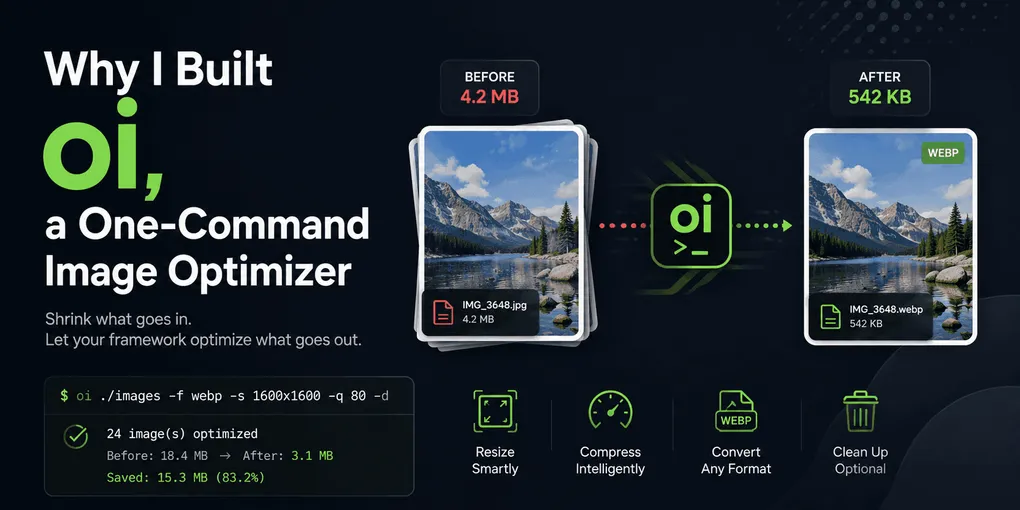
Why I Built oi, a One-Command Image Optimizer
Most client handoffs arrive the same way: a folder of photos straight off a camera or exported from Figma at 2x, twenty or thirty files, a few megabytes each.
My routine for years was TinyPNG. Open the browser, drag twenty files in (the free batch limit), wait, download the zip, unzip it, rename the files that came back with -1 suffixes, move them into src/assets/, repeat for whatever was left over. Maybe ten minutes. Not hard, just tedious enough that I skipped it when I was in a hurry.
Skipping it is the part that adds up.
What skipping it costs
Git keeps every version of a binary. Commit a 4 MB JPEG, swap it for a better one next month, and the repo carries 8 MB for one visible photo. Delete the file and it still carries 8 MB, since the blob stays in history. Getting it back means rewriting every commit after it.
That adds up faster on a git-based CMS. Most of my client sites are Astro or Hugo with images committed next to the Markdown, edited through something like TinaCMS or Decap, where the editor is the repo and every upload is a commit. A year into a project with an active blog, git clone is noticeably slower and so is every CI checkout. It never shows up in a Lighthouse score, so nobody notices until it’s already inconvenient, and by then you’re looking at BFG Repo-Cleaner and a force push.
Framework image tools solve the other half
Astro has astro:assets. Next.js has next/image. Hugo has image processing in templates. Point them at a source image and they emit resized, re-encoded, format-negotiated output at build time with the right srcset attached. My portfolio does this through Sharp, which I covered when I rebuilt the site.
They all run at the same stage though. They optimize the output and leave the input alone, because the pipeline needs a large original to generate a 400px thumbnail and a 1600px hero from. That’s the right call for a build tool. It does mean delivery optimization is well covered while source optimization, whatever actually lands in the repo, is left to whoever remembers to visit a website.
The widest my layouts ever request is 1600px. Anything bigger than that in the repo is stored forever and never rendered.
What it does
So I wrote one. It’s a pre-commit step, not a build step: folder comes in, one command, an optimized copy goes into the repo, and the framework pipeline handles the rest as before.
npm install -g oi-optimize-imagesPoint it at a folder:
oi ./imagesEvery image in the folder and its subfolders gets encoded at quality 80, and it tells you what you saved:
  ✓ 24 image(s) optimized
  Output: ./images-oi-out
  Before: 18.4 MB  →  After: 3.1 MB
  Saved: 15.3 MB (83.2%)
In practice I rarely run it bare. On a client folder I want a size ceiling and WebP too, so what I actually type is:
oi ./images -f webp -s 1600x1600 -q 80That fits each image inside 1600×1600 without upscaling anything smaller and encodes as WebP at quality 80. Nothing in ./images changes: the output lands in ./images-oi-out, and that’s the folder I actually move into src/assets/. The client’s original download sits untouched next to it, in case I need to go back to it.
For a file already living inside the repo, that sibling-folder default is the wrong shape, so I reach for --in-place:
oi src/assets/blog/hero.png -f webp -q 85 --in-placeThat overwrites hero.png’s slot with hero.webp, in the same folder. One thing I do miss here: with -d gone, converting to a new format no longer deletes the old one afterward. hero.png and hero.webp both sit in src/assets/blog/ when it’s done, and I clean up the leftover myself with rm or git rm.
Or a whole subfolder, when the rest of the tree has already been through it:
oi src/assets/blog -f webp -s 1600x1600 --in-placeThe flag list: -q for quality, -f for format, -s for max dimensions, -j for how many images to encode at once, -o to send output to a folder you name instead of the -oi-out sibling, and --in-place for the old overwrite behavior. oi -h prints them, and the npm page has the full table with defaults.
Before you run it
As of 3.0 it’s safe by default: a plain oi ./images never modifies ./images. The old caution only applies once --in-place is in the command. With -f original --in-place, the source file is the output file, so run that combination on a clean git tree or a copy if you want the untouched originals back. Re-running is still lossy regardless of mode: every pass re-encodes, so compressing an already-compressed file again just degrades it further. It’s meant to run once, on the way in.
Source is on GitHub, published as oi-optimize-images on npm. MIT.